
Automotive-specific scope
Every ruling relates to automotive service parts and accessories, so results are relevant to Chapter 87 and the adjacent headings your products fall under.
AutoRulingDB is a curated library of U.S. CBP binding rulings for automotive parts and accessories. Every entry carries the merchandise description, HTS code, written analysis and an opinion — searchable in seconds, and extended with your own rulings in a private workspace.
A defensible HTS classification rests on precedent. AutoRulingDB gathers the rulings relevant to automotive parts, organizes them, and adds analysis you can reference in your own file.
Every ruling relates to automotive service parts and accessories, so results are relevant to Chapter 87 and the adjacent headings your products fall under.
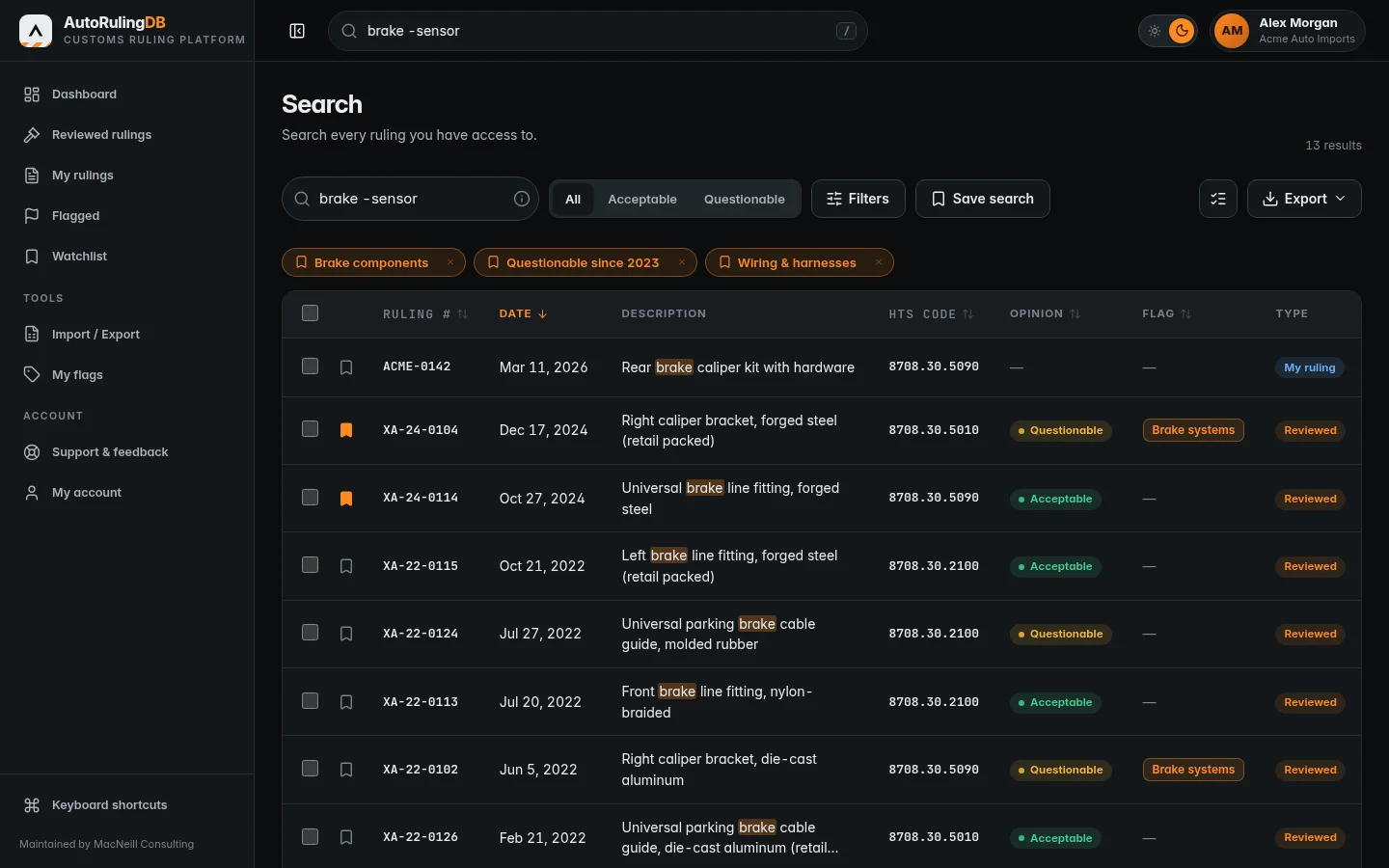
Search by part description, HTS heading, ruling number or phrase. Operators, wildcards and spelling tolerance get you to the right precedent without trawling.
Each entry includes written classification analysis and an opinion — Acceptable or Questionable — with comparison to similar merchandise, to support your own review.
Combine words, phrases, exclusions and HTS filters in a single box. The examples below use fictional rulings.
Matches are highlighted in the results so you can scan descriptions and codes rather than read them end to end.
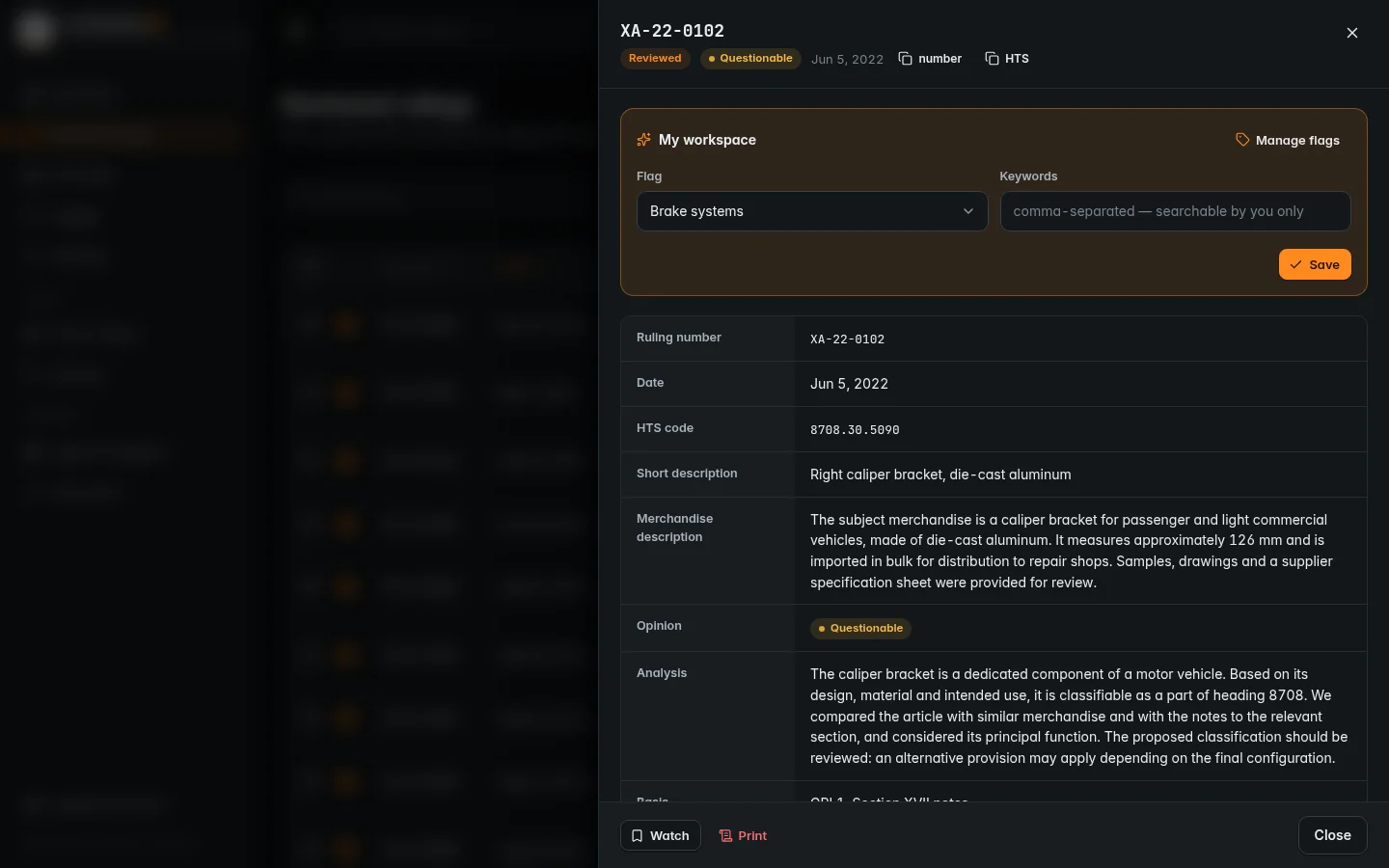
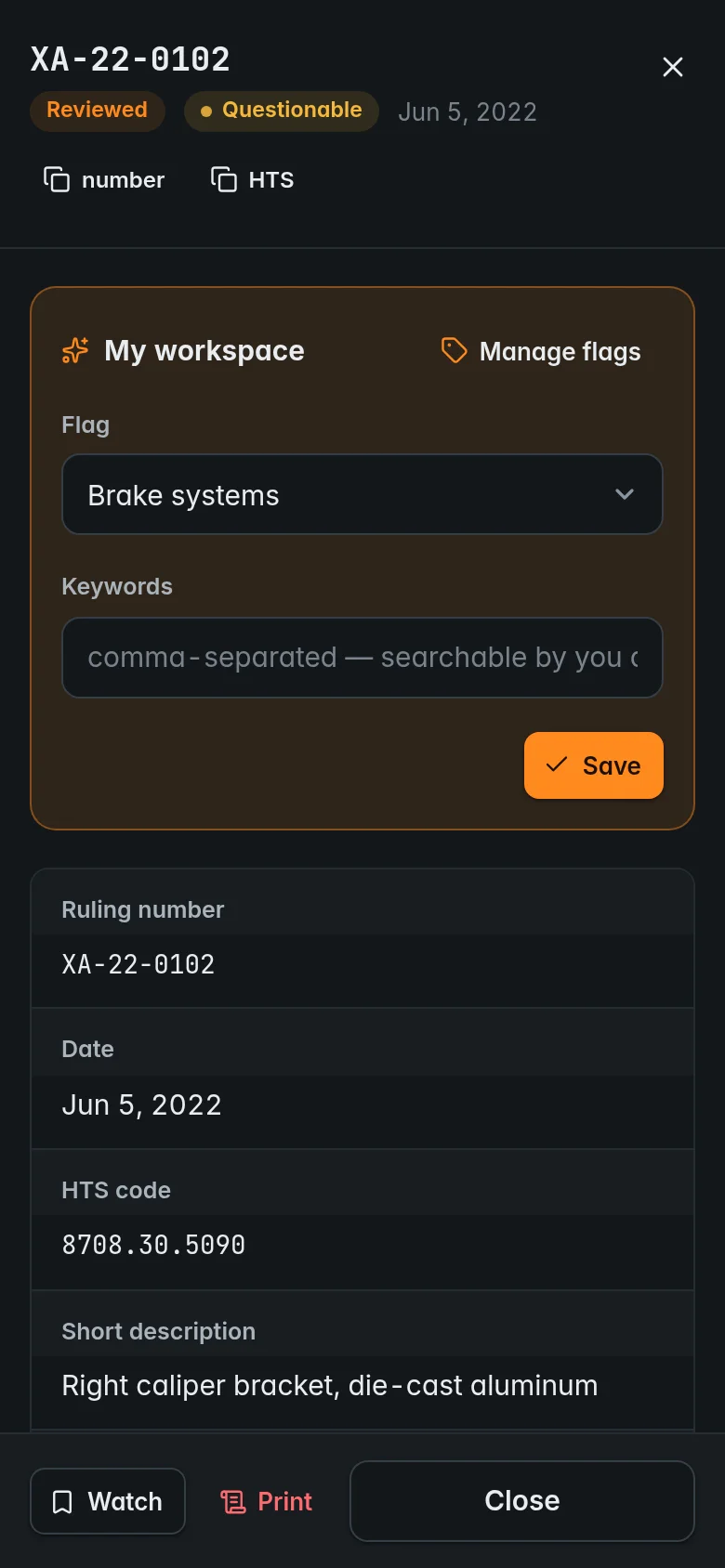
Open any ruling for the full merchandise description, HTS code, classification analysis and opinion. Step through results with the arrow keys, and copy the ruling number or HTS code for your records.
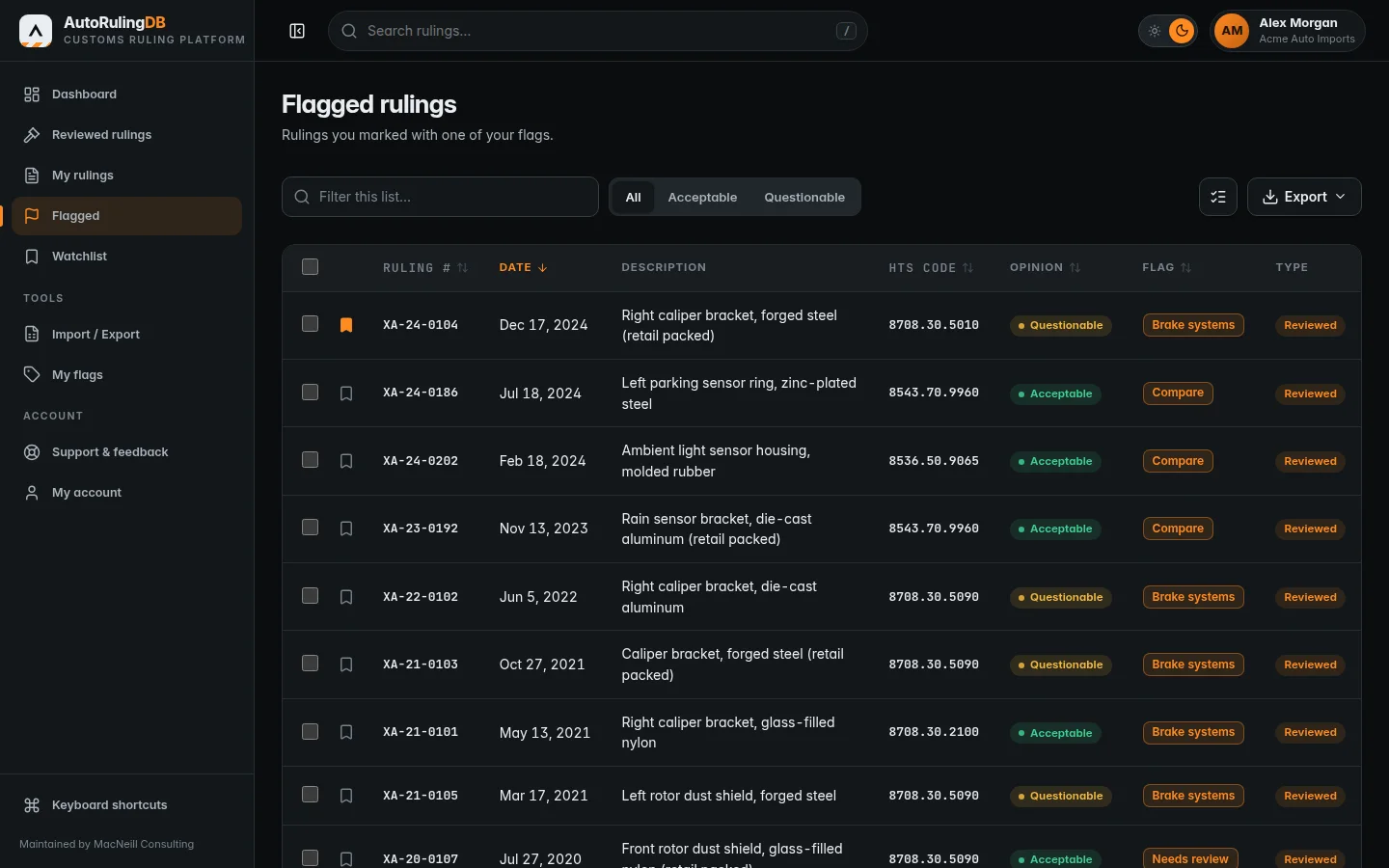
Your workspace sits on top of the library and is visible only to you. Mark rulings with your own flags, add the keywords your team uses, follow the entries that matter, and keep your own rulings next to the reviewed ones.
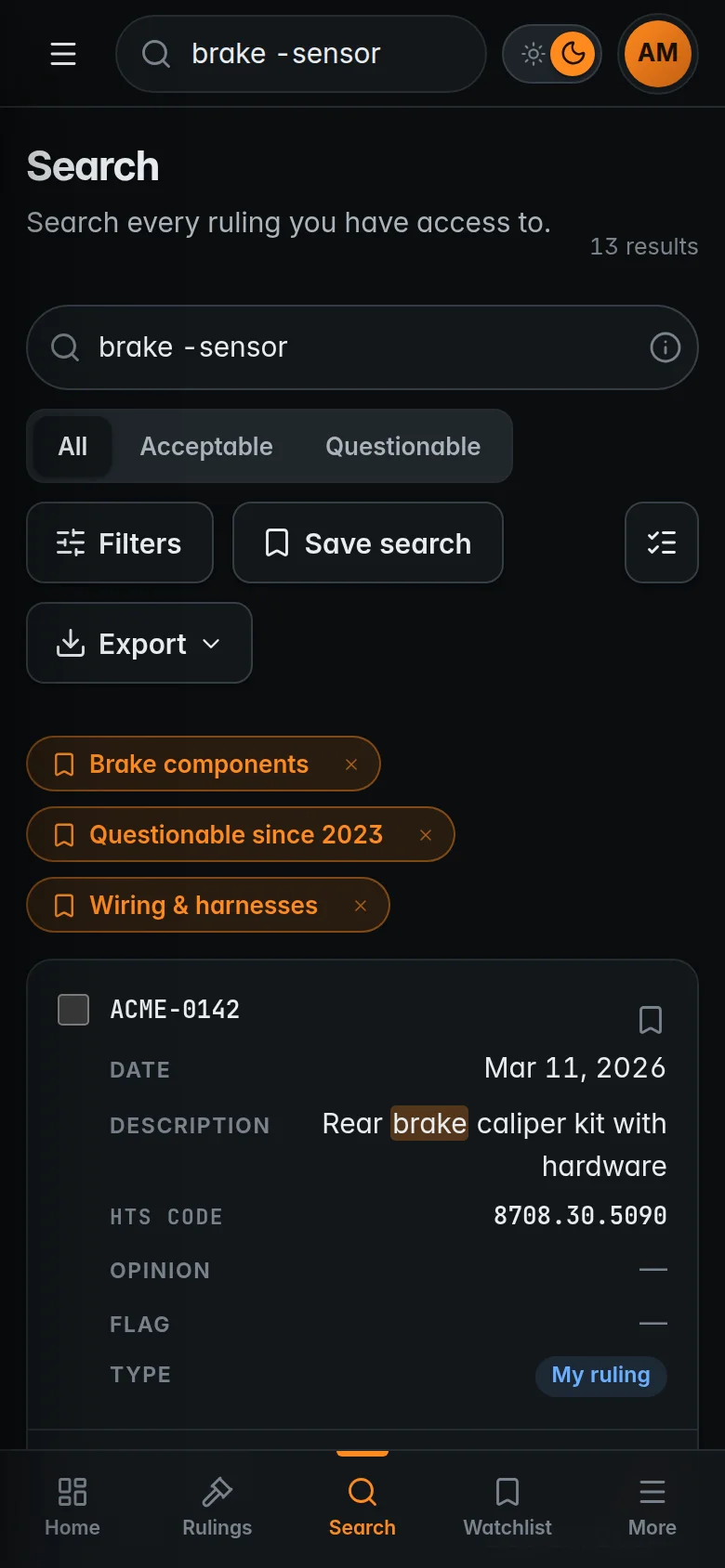
The full platform adapts to any screen — at the desk, at the dock or on the plant floor — with touch-friendly controls and a dark or light theme.
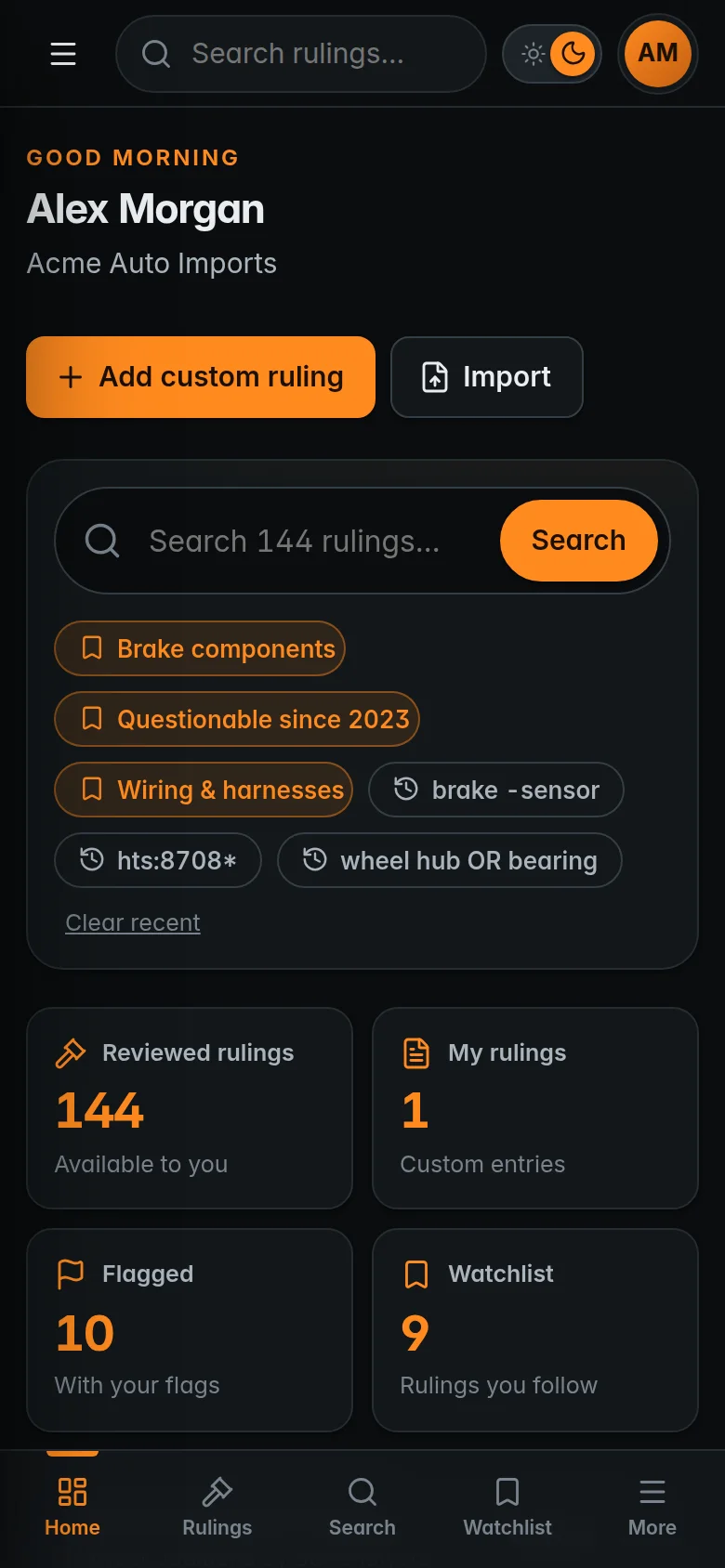
Enter a part description, HTS heading or phrase. Results appear as you type, with matches highlighted.
Open a ruling for the analysis and opinion, and step through similar entries to compare.
Flag the ruling, add keywords, follow it — or export the list to Excel for your entry file.
A screened set of CBP classification binding rulings relating to automotive service parts and accessories. Each entry includes the merchandise description, HTS code, written classification analysis and an opinion.
AutoRulingDB is maintained by MacNeill Consulting Services, a customs consultancy. Rulings are issued by U.S. Customs and Border Protection; the screening, analysis and opinion are added by MacNeill.
Yes. Custom rulings, flags and keywords live in your private workspace, are visible only to you, and are searchable alongside the library.
Yes. Import from .xlsx, CSV or Excel XML — if your columns differ, you match them to the right fields before anything is imported. Export the whole library, or exactly what a search shows.
Yes. The interface adapts to any screen size, with touch-friendly controls and a dark or light theme.
Membership is available on a subscription basis. Request access and tell us about your company; we will be in touch to set it up.
Review the platform, or tell us about your team and we will arrange your membership.